Read what matters.
Switch Gmail accounts, search with Gmail syntax, and move between inbox, sent mail, starred conversations and labels. Cached mail is ready before a fresh check finishes.
 draftfor Mac
GMAIL. YOUR MAC. YOUR AI.
Read, draft, decide, move on. Draft brings your Gmail and your choice of AI into one focused Mac workspace.
Built for macOS 14+ · Apple silicon and Intel
Public installer pending signing and Google approval.
Your email stays yours.
Your AI stays your choice.
You make the final call.
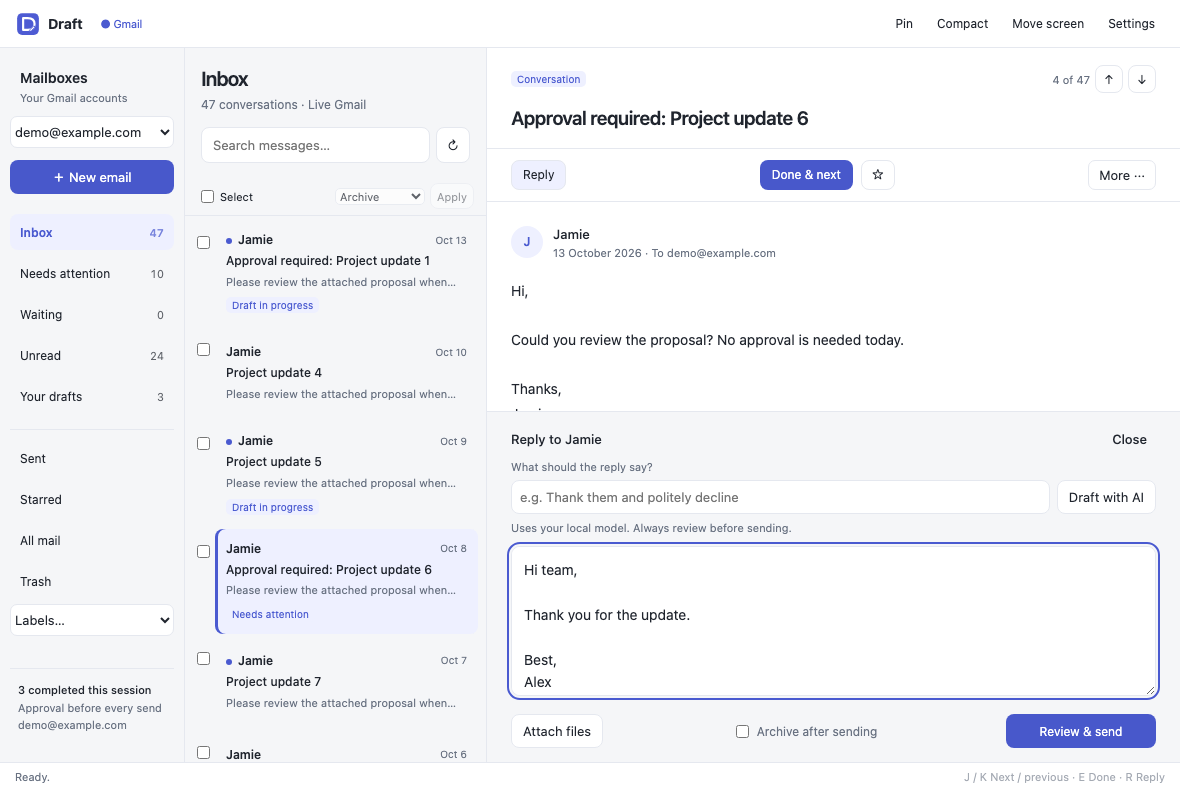
THE EVERYDAY FLOW
Switch Gmail accounts, search with Gmail syntax, and move between inbox, sent mail, starred conversations and labels. Cached mail is ready before a fresh check finishes.
Ask for a summary, describe your reply, or request a mailbox suggestion. Use your own cloud provider or an OpenAI-compatible model running on this Mac.
Edit the draft. Review the recipients and full reply in a native approval dialog. A successful send can archive the conversation and open the next one.
BUILT AROUND CONTROL
2.0 BETA / RELEASE STATUS
Core Gmail workflows and configurable AI are implemented. The public installer will be enabled after Developer ID signing, Apple notarization and Google’s public OAuth approval. This is direct Mac distribution; no App Store is required.
Public downloads stay disabled until the release checks pass. The installer contains no shared AI key or real inbox snapshot.